


Intellecto Kids Learning Games
4.1369.00 Reviews
App Specs
- Version
- 4.75.0
- Updated On
- License
- Free
- Downloads
- 1,000,000+
- Developer
- IntellectoKids Ltd
- Categories
- Educational
- Platform
- Android, iOS
Screenshots




 Analysis by AppCompare
I’m drawn to the idea behind Intellecto Kids Learning Games: a child can practise early learning skills through short, playful activities rather than being asked to sit through a lesson. That makes it easier to fit into the small gaps of a family day, when a few minutes of focused play may be welcome. I’d treat it as a learning companion, not a replacement for books, conversation, or hands-on play.
Why a collection of learning games can help
Early learning is a mix of different kinds of practice: noticing letters, hearing sounds, counting objects, and trying puzzles. A game format can give children a low-pressure way to repeat these ideas. The useful part is not simply that an activity is colorful; it is that a child can try, make a choice, and see what happens without every moment feeling like a test.
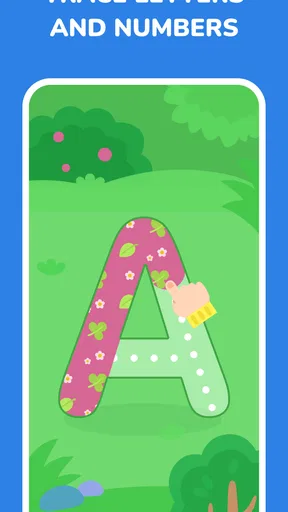
This is an educational game from IntellectoKids Ltd, aimed at young learners. Its themes include numbers, letters, puzzles, and phonics, so it may suit a child who is beginning to explore several basics at once. I’d still choose activities with the child’s current interests in mind. A child who loves sounds and stories may be more willing to practise language than to spend time on counting, while another may happily return to number puzzles.
The distinction matters when you’re deciding what to open. Instead of treating the app as a course that must be completed from beginning to end, I’d use it as a menu of opportunities: pick one activity that matches the child’s mood, stay nearby, and stop while they are still engaged. That approach keeps the experience from becoming another chore and makes it easier to connect screen play with something real, like counting fruit at snack time or noticing a letter on a sign.
What using it with a child can look like
In an everyday routine, I can imagine bringing it out while waiting for an appointment or during a quiet stretch at home. I’d sit with the child at first, let them choose between a letter-based activity and a puzzle, then ask them to explain what they are doing. That small conversation is useful: it reveals whether they understand the task or are simply tapping through it, and it gives the adult a natural chance to encourage curiosity without turning play into a quiz.
For a younger child, I’d keep sessions brief and offer help with the instructions rather than taking over the device. If a task becomes frustrating, changing to a familiar activity or putting the screen away is usually better than insisting on finishing. For a child who already recognises many letters or numbers, the app may still provide enjoyable repetition, but it may not be challenging enough to serve as their main learning resource.
I’d also avoid using an educational label as a reason to leave a child alone with a screen for a long stretch. The strongest use is shared or lightly supervised play, especially at the beginning, when an adult can see which activities make sense to the child and which ones need explanation. After that, a child may be able to navigate more independently, but occasional check-ins help keep the activity purposeful.
Worth Reading Before You Choose

EA SPORTS FC Mobile 26 Is a Bigger Football Game, but It Takes Time

Flipboard Shows What News Apps Must Do Beyond the Feed

Switching to Android Auto Means Rethinking Your Driving Routine

Google Calendar Makes a Crowded Week Easier to Manage

Ludo King Makes the Most of the Minutes Between Plans

Baby Panda World Brings Quick Play to Modern Phones, but Its Game Library Feels Busy
How it fits beside other learning options
Compared with a single-purpose alphabet or counting app, a broader collection can be convenient when a child’s interests change from day to day. It gives a parent more than one kind of early-learning activity to offer without switching between several separate apps. The trade-off is that a broad collection may feel less focused than a dedicated phonics tool, a workbook, or a hands-on puzzle chosen for one specific skill.
It also differs from a physical activity in an important way: the screen can respond immediately, but it cannot replace handling objects, drawing letters, talking through a story, or counting real items together. I’d use the digital activity as a prompt, then carry the idea into the room. After a number game, for example, invite the child to count toys; after a letter activity, look for that letter in a picture book. Those simple follow-ons make the learning feel less confined to the device.
One practical question is whether the app is suitable for a family trying to avoid surprise spending. It is free to start, but it includes in-app purchases priced from $0.99 to $149.99 per item. I’d check purchase settings before handing over a device, explain that the app is for playing and learning rather than buying extras, and keep an adult available if a screen prompts the child to make a choice. That is a more realistic precaution than assuming every part of a free app will remain available without purchases.
Unpacking the Learning Experience
Right off the bat, Intellecto Kids Learning Games catches your eye with its vibrant and playful design. It’s like stepping into a colorful wonderland that’s inviting and non-intimidating for little ones. The app is designed for children aged 3 to 7, focusing on developing essential skills through play. Think of it as a digital playground where learning is disguised as fun. Clever, right?
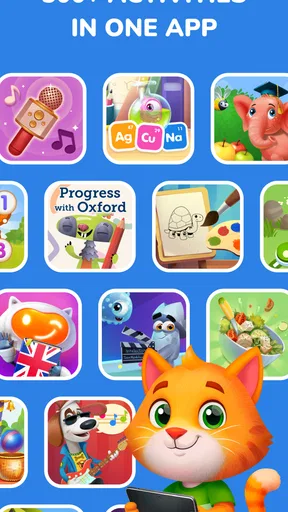
The app is structured into different categories, each targeting a specific area of learning. From math and logic to language and creativity, it’s got it all. What really stands out is how the app blends these educational elements seamlessly into engaging games that make kids want to keep coming back for more.
Interactive and Engaging
Now, let’s talk about the games themselves. They’re not just your run-of-the-mill educational activities. Each game is thoughtfully designed to be interactive and engaging. For instance, the math games use colorful puzzles and characters to teach counting and basic arithmetic. It’s like sneaking veggies into a kid's favorite dish – they won’t even realize they’re learning!
One of my personal favorites is the language games section. It offers a mix of vocabulary-building activities and storytelling adventures that help kids expand their language skills without feeling like they’re in a classroom. The app’s ability to adapt to different learning paces ensures that no child is left behind.
Parental Involvement and Progress Tracking
As a parent, you might be wondering how you can stay in the loop with your child’s progress. Well, the app has got you covered. It includes a handy progress tracking feature that lets you see how your child is doing in various skill areas. It’s like having a mini report card that shows you all the awesome stuff your kid is learning.
Moreover, the app encourages parental involvement by offering tips and suggestions on how to reinforce learning outside the digital space. Whether it’s a simple activity you can do together or a fun game idea, Intellecto Kids Learning Games ensures that learning doesn’t stop when the screen turns off.
Kid-Friendly Interface
Let’s face it, if an app isn’t user-friendly, it’s going to end up in the digital trash bin. Thankfully, this app understands its audience. The interface is intuitive and easy for kids to navigate on their own. Large icons, simple instructions, and delightful animations make the whole experience enjoyable and stress-free.
And don’t worry about ads or in-app purchases ruining the fun. The app is designed to be a safe environment for kids, so parents can rest easy knowing their child isn’t going to accidentally buy a year’s supply of virtual cookies.
Where it may not be the right fit
The strongest reason to choose a different option is a need for a tightly sequenced lesson plan. A child who needs systematic practice in one area may benefit more from a focused phonics resource, direct teaching, or activities selected by a teacher. A collection of games is better for variety and informal practice than for proving that a particular skill has been mastered.
It may also be a poor fit for a child who is already confident with basic letters and numbers and wants more demanding challenges. In that case, I’d look for materials that match the child’s current level rather than assume that more time in an early-learning game will automatically lead to progress. The right choice depends on whether the child needs a friendly introduction, a little repetition, or deeper instruction.
Parents who want screen-free play will naturally prefer blocks, picture books, drawing, or real-world counting activities. Those options offer different kinds of interaction, and there is no need to treat this app as the default just because it is educational. I see it as one useful choice for particular moments, especially when a child is curious about the activity and an adult can help connect it to everyday life.
Practical checks before handing over the device
For a calm first session, I’d open the game together and watch how the child responds to its instructions and choices. This gives you a chance to notice whether they can follow the activity independently, whether they need an explanation, and which topic holds their attention. It also helps avoid the common mismatch of expecting a child to enjoy an activity simply because an adult thinks it is educational.
Families may also want to know whether the app is suitable for a child’s device. It is rated Everyone, and its current version is 4.70.1; the minimum operating-system requirement is Android 7.0. The game is free, with optional purchases, so I’d review the device’s purchase controls before a child uses it alone. Its average rating is 4.0 from around 8.3 thousand ratings, and it has more than one million installs, which suggests it has reached many families without guaranteeing that every child will enjoy the same activities.
It was released in February 2017, so it has been around long enough to build a substantial audience, but I would still judge it by how it works for the child in front of me. A rating cannot tell you whether the pace, activity style, or mix of topics is a good match for your family. A short supervised try is more informative than expecting popularity to settle that question.
Final Thoughts
In a world where screen time is inevitable, Intellecto Kids Learning Games offers a guilt-free way for kids to engage with technology. It’s educational, entertaining, and easy to use – a triple threat in the best way possible. Whether your child is just starting their educational journey or needs a little extra help in certain areas, this app is a fantastic companion.
So, if you’re looking for an app that’s as fun as it is educational, give Intellecto Kids Learning Games a try. Who knows? You might just find yourself joining in on the fun!
Pros
- Engaging educational content for kids
- User-friendly interface with bright visuals
- Wide range of subjects covered
- Interactive and fun learning experience
- Regular updates with new activities
Cons
- In-app purchases can be pricey
- Requires constant internet connection
- Limited free content available
- Some games may be too easy for older kids
- Occasional bugs disrupt gameplay
FAQs for Intellecto Kids Learning Games
What age group is Intellecto Kids Learning Games suitable for?
Intellecto Kids Learning Games is designed for children aged 3 to 8 years old. The app provides age-appropriate educational content that helps develop cognitive skills, creativity, and problem-solving abilities. Each game is tailored to engage young minds effectively, ensuring that learning remains fun and interactive for this specific age range.
What types of educational activities does the app include?
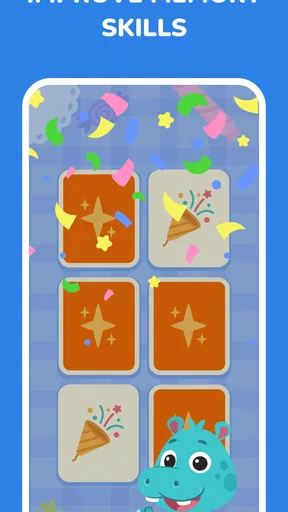
The app features a wide variety of educational activities, including puzzles, math games, language learning, and creative challenges. These activities are designed to enhance different skill sets such as critical thinking, memory, and logic. The diversity of games ensures that children can explore multiple areas of learning, keeping them engaged and motivated.
Is the app safe for children to use independently?
Yes, Intellecto Kids Learning Games is designed with child safety in mind. The app includes age-appropriate content and has no ads or in-app purchases that children can accidentally click on. Parents can feel secure knowing the app provides a safe, educational environment that children can explore independently.
Does Intellecto Kids Learning Games require an internet connection?
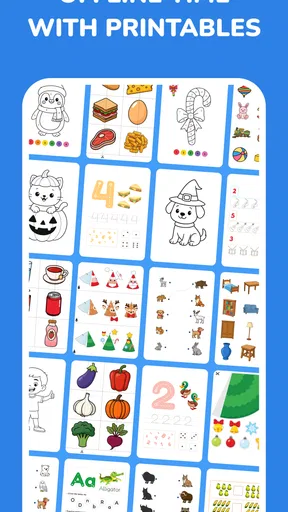
No, the app does not require an internet connection to play most of the games. Once downloaded, children can enjoy the educational activities offline. This makes it convenient for use during travel or in areas where internet access is limited. However, some features may require periodic updates, which will need a connection.
Are there any subscription fees or hidden costs?
Intellecto Kids Learning Games offers a free version with basic features. To unlock all games and features, a subscription is required. The app is transparent about its pricing, and there are no hidden costs. Parents can choose the subscription plan that best suits their needs, with options for monthly or yearly payments.


